¶ Is there a quickstart guides?
> Quickstart machine activation
¶ Who do I contact if I have problems with HorschConnect or other Portals?
Please send an email to portal@horsch.com with the following information:
> Name
> Telephone number for inquiries
> Serial number of the machine
> Detailed description of the problem
¶ What are the requirements for HorschConnect?
> SmartCan
> Compatible ECU
ECU Compatibility-Matrix
| Machinentyp | ECU-Typ | Version | Comments |
| Seeding | E-Manager | ≥10.15.00 | Below only GPS-Data |
| Seeding | I-Manager | ≥08.00.00.03 | Below only GPS-Data |
| Single corn planting | E-Manager | ≥10.14.03 | Below only GPS-Data |
| Single corn planting | I-Manager | ≥09.00.00.00 | Below only GPS-Data |
| Crop Care | LSB | 1.11 | Below only GPS-Data |
¶ Functions by ECU version
| ECU-Typ | Version | Comments |
| E-Manager | 10.16 | -position and lane -application rate -error messages |
| E-Manager | 10.15 | -position and lane -application rate -error messages |
| E-Manager | ≥10.14.02 | -position and lane -application rate -error messages |
| LSB | 1.11 | -position and lane -application rate -error messages |
| HECU | 1.5.1 | -Engine data |
| I-Manager | ≥08.00.00.03 | -position and lane -application rate -error messages |
¶ With which browsers is Telematics tested?
| Operating System | Browser | Version |
| Windows | Firefox Browser | 109.0 (64-Bit) |
| Windows | Google Chrome | 109.0.5414.120 (64-Bit) |
| Windows | Microsoft Edge | 109.0.1518.70 (64-Bit) |
| Windows | Internet Explorer | Not compatible |
| Mac OS | Firefox Browser | 108.0.2 (64-Bit) |
| Mac OS | Safari | 15.6.1 |
| iOS | iPhone | 15.6 |
| iOS | iPad | 15.6 |
| Android | Google Chrome | 10 |
| Android | Google Chrome | 11 |
| Plattform | Version | Bemerkungen |
| E-Manager | 10.13 | Pairing muss über Jobrechner-Maske bestätigt werden |
| E-Manager | ≥ 10.14 | Dauerhaftes Pairing |
| LSB | ≥ 1.11 | Dauerhaftes Pairing |
| I-Manager Seeder | ≥ 07 | Dauerhaftes Pairing |
| I-Manager Maestro | ≥ 08 | Dauerhaftes Pairing |
¶ Crop types: Missing display of coefficient of variation/doubles/skips
For crop types/seeds where the grain size cannot be reliably detected due to its size/shape, the values are not displayed. These are marked in Telematics with “N/A” = Not available.
The following crop types are affected
| Fruchtart | Darstellung |
|---|---|
| Sorghum | N/A |
| Canola | N/A |
| Beans | N/A |
| Pumpkin | N/A |
| Spinach | N/A |
¶ I-Manager
¶ Missing data transfer for multiple booms
In the job computer (ECU), the TC-GEO option must be activated for I-Manager machines (<10.00.00.08), otherwise the data for the individual booms (storage points) will not be recorded correctly. In the submenu, set the TC-GEO option to YES for all booms.
Note: If TC-GEO is not enabled on the tractor side, this setting must be set to “No.” However, this will prevent data transfer to HorschConnect for machines with I-Manager software < 10.00.00.08.
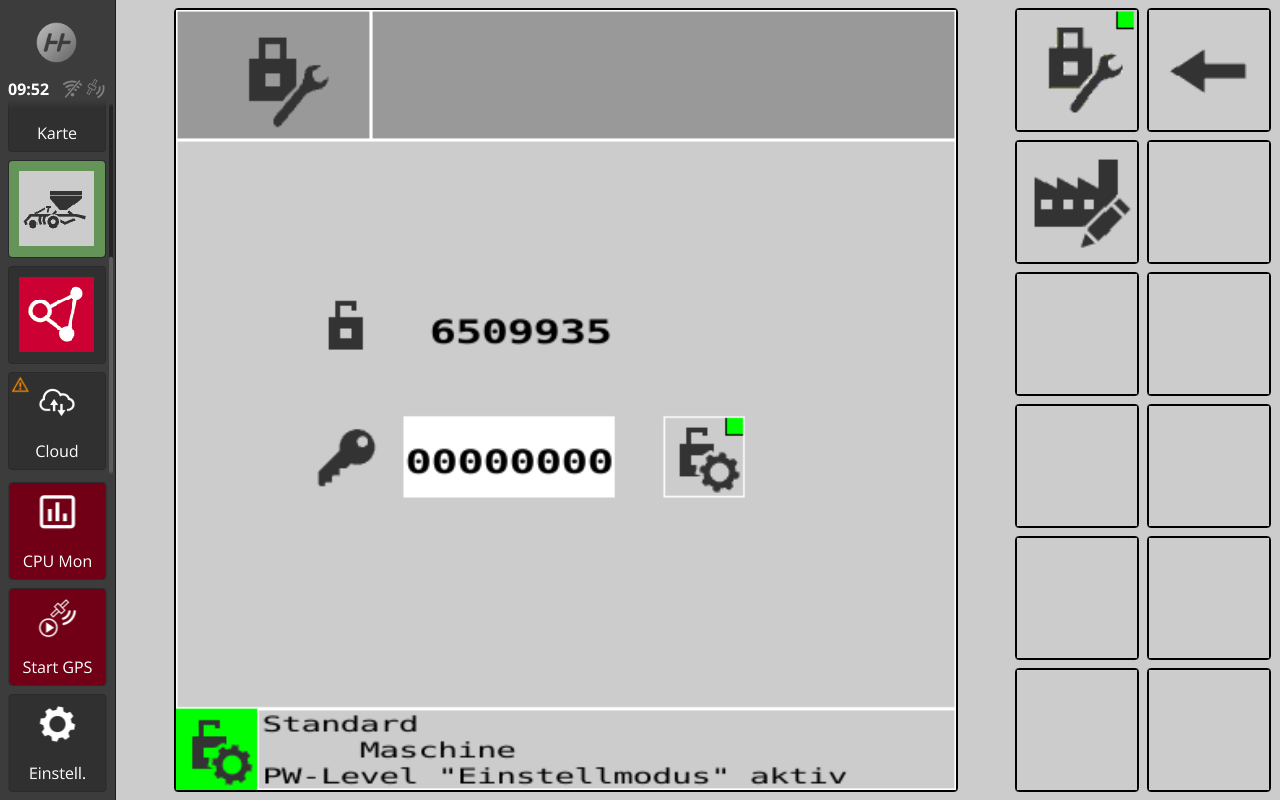 |
Setting Mode activation |
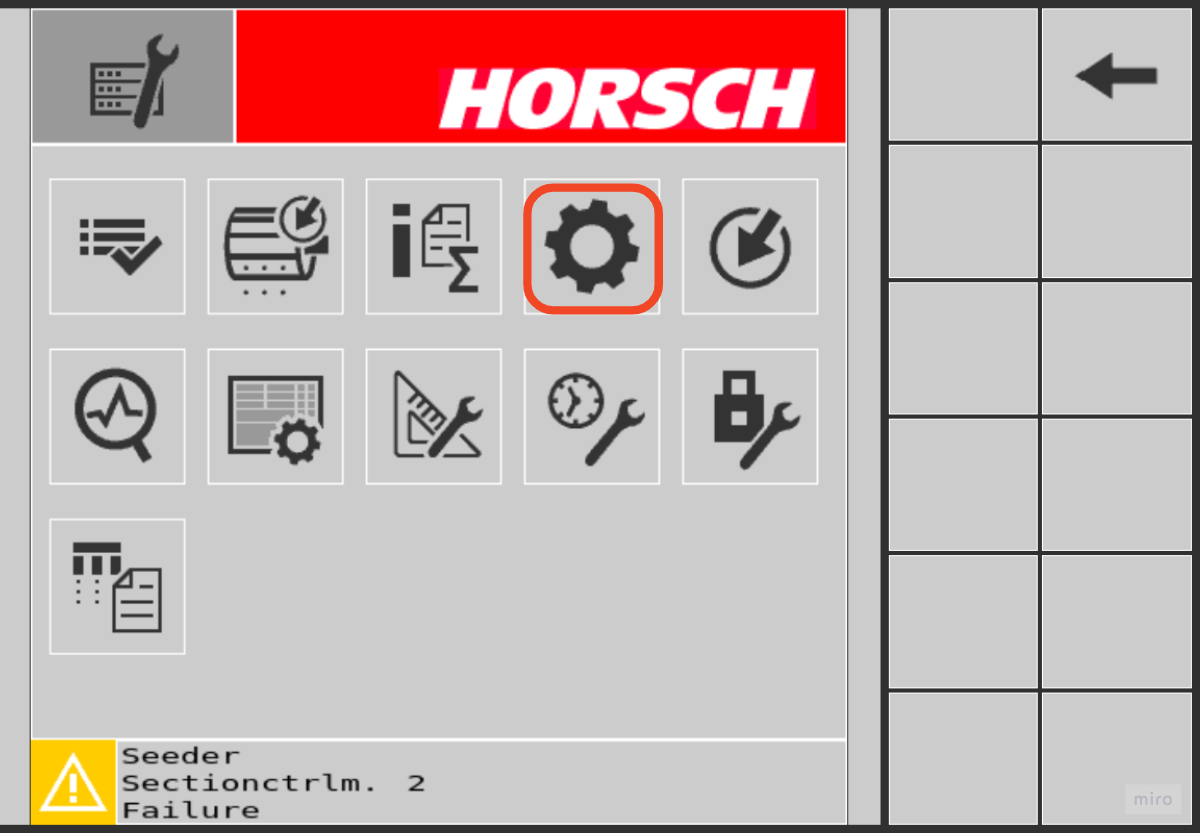 |
Go to “Settings” → "TC Settings" |
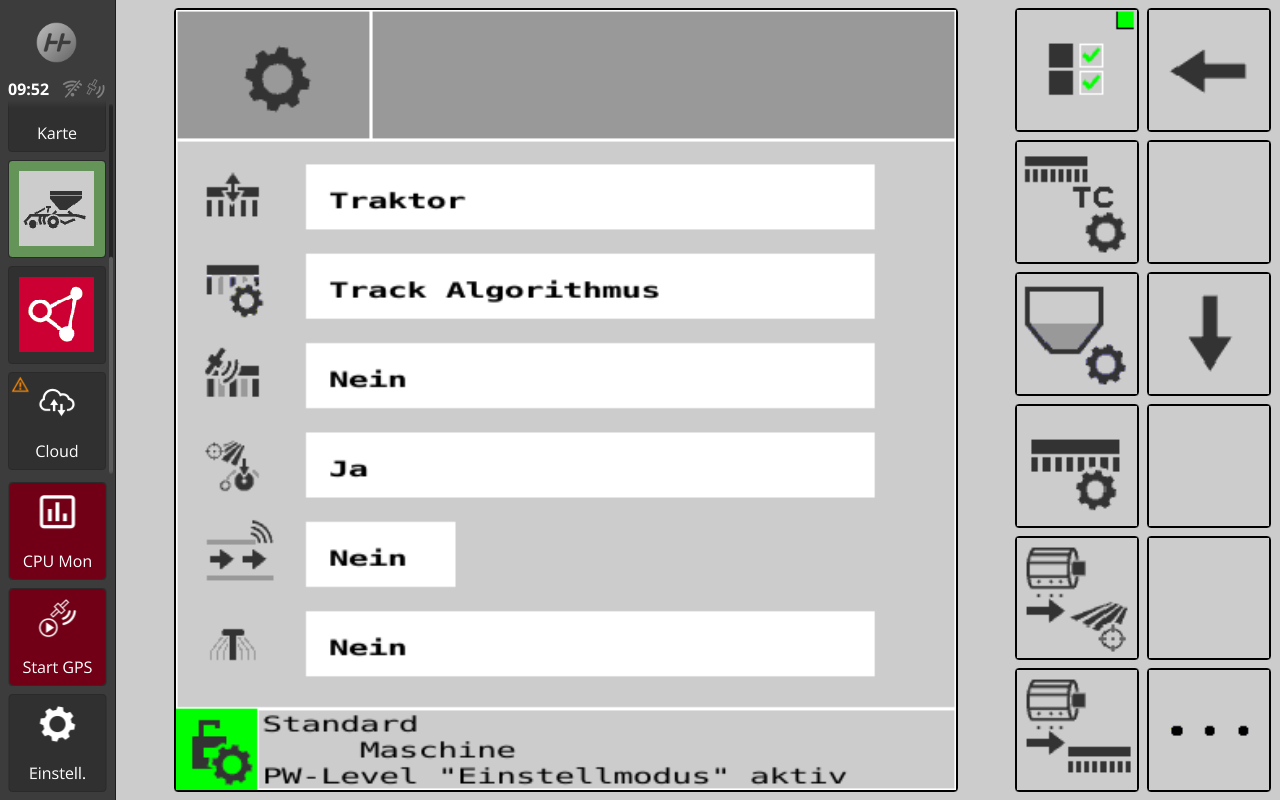 |
Select “TC” |
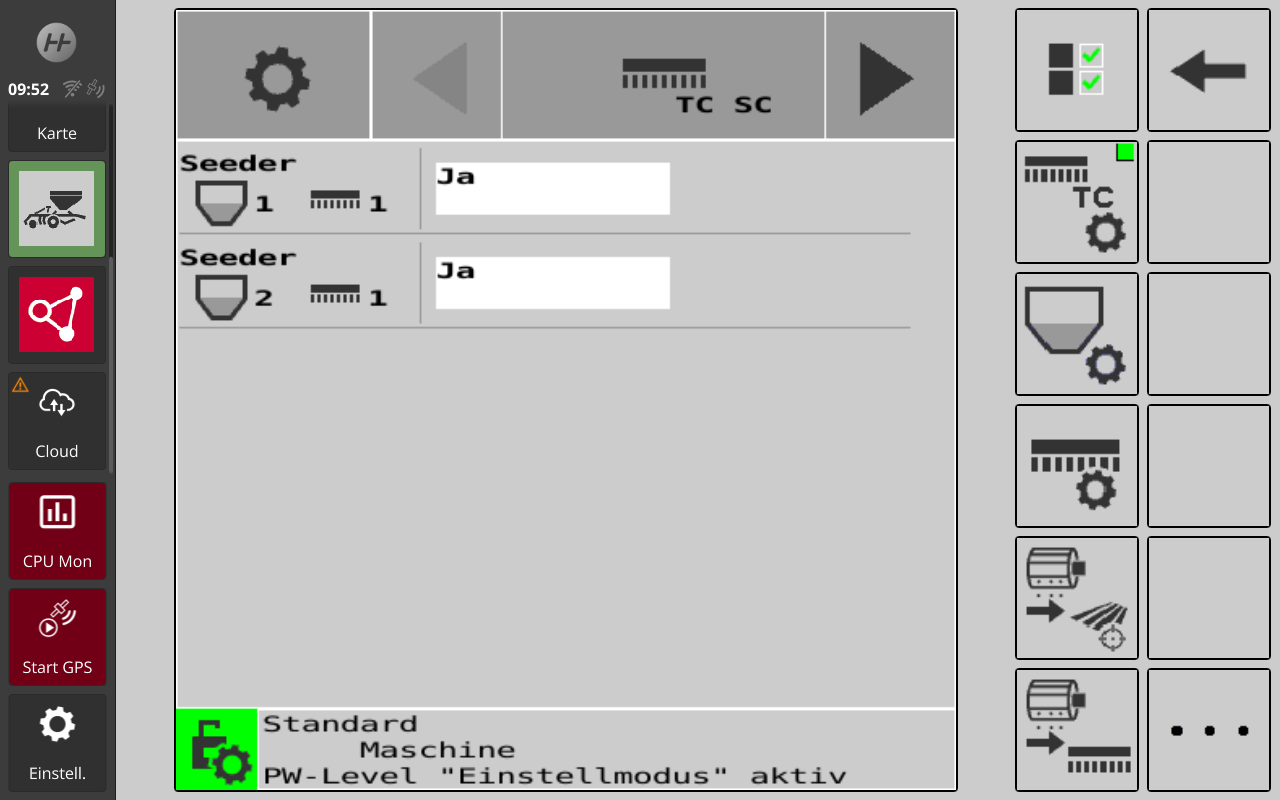 |
Switch with arrow keys from TC-SC to TC-GEO Two steps. |
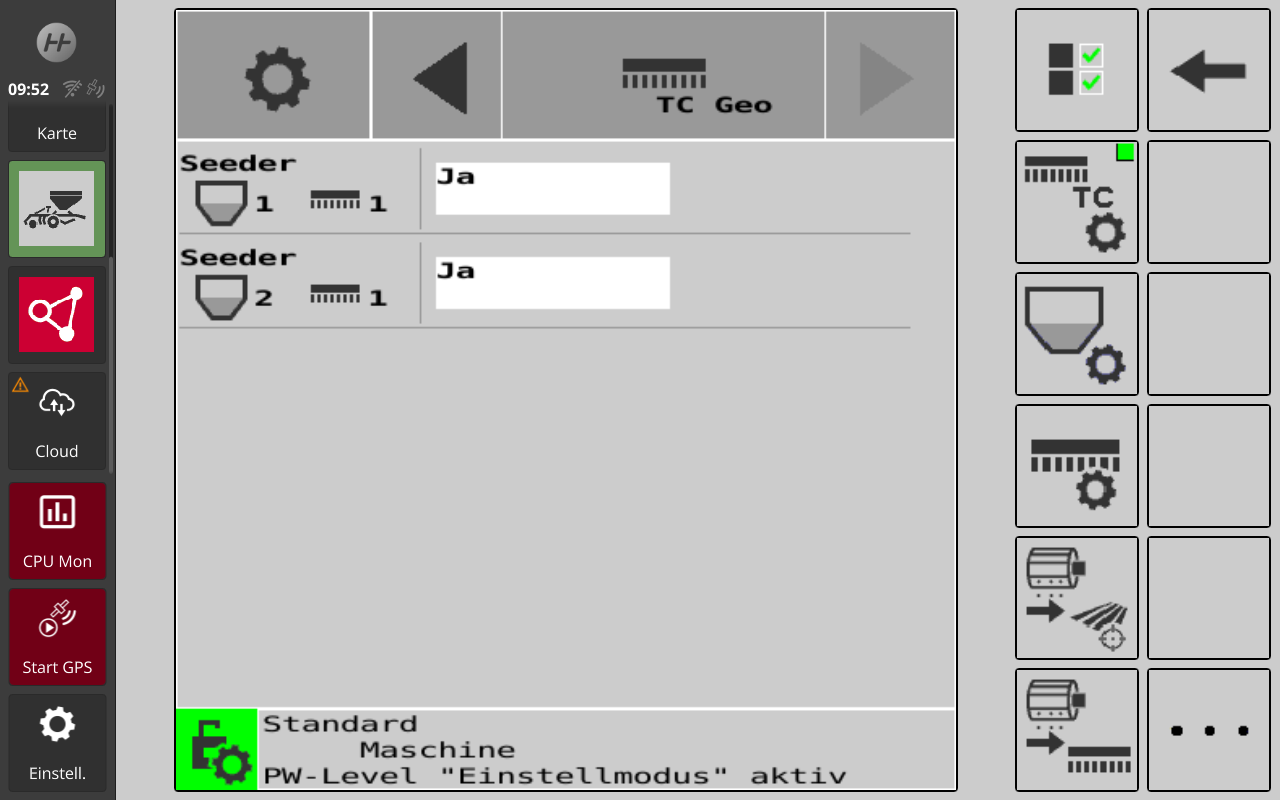 |
Check TC-GEO = Yes for all Tanks/Booms |
¶ E-Manager
¶ Boom 2-x is configured, but no data is displayed
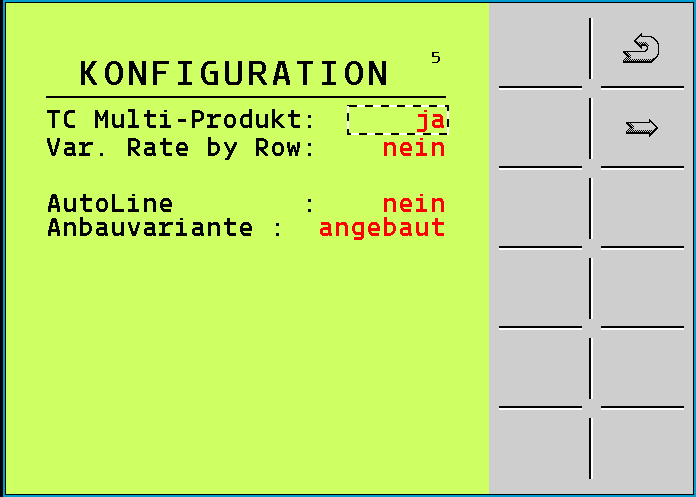
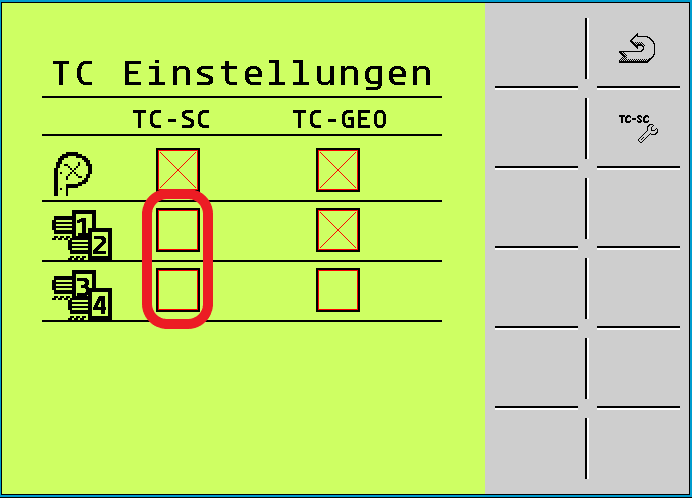
In the job computer (ECU), the options TC Multi-Product and TC-SC "Multiboom" must be configured. See Figure 1 for the correct setting of Multi-Product, which is located below the configuration.
|
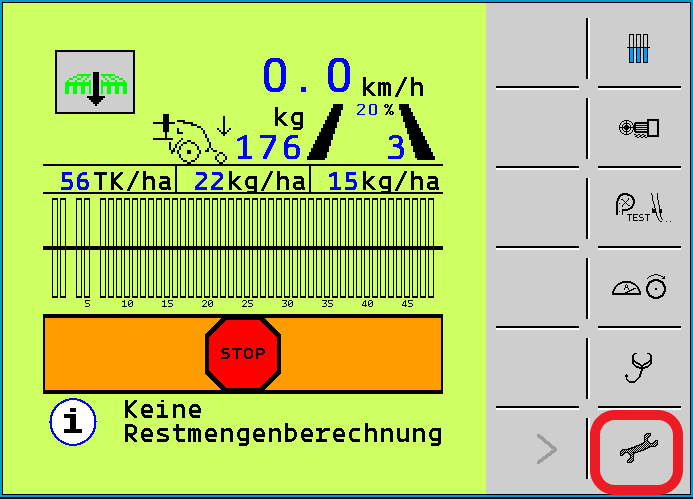
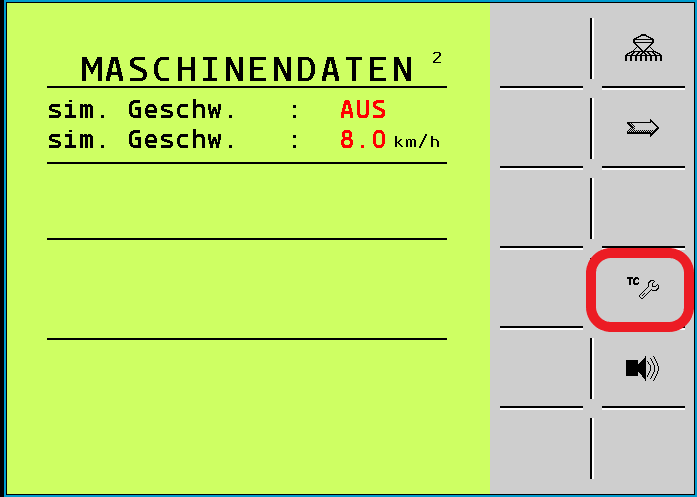
To do this, the TC-SC checkbox must be checked in the settings (Fig. 2-4) under the TC settings tab (Fig. 2) according to the number of booms (seed/fertilizer bars).
|
|
|
¶ LSB - Leeb Sprayer Brain
¶ No data transmission from Boom
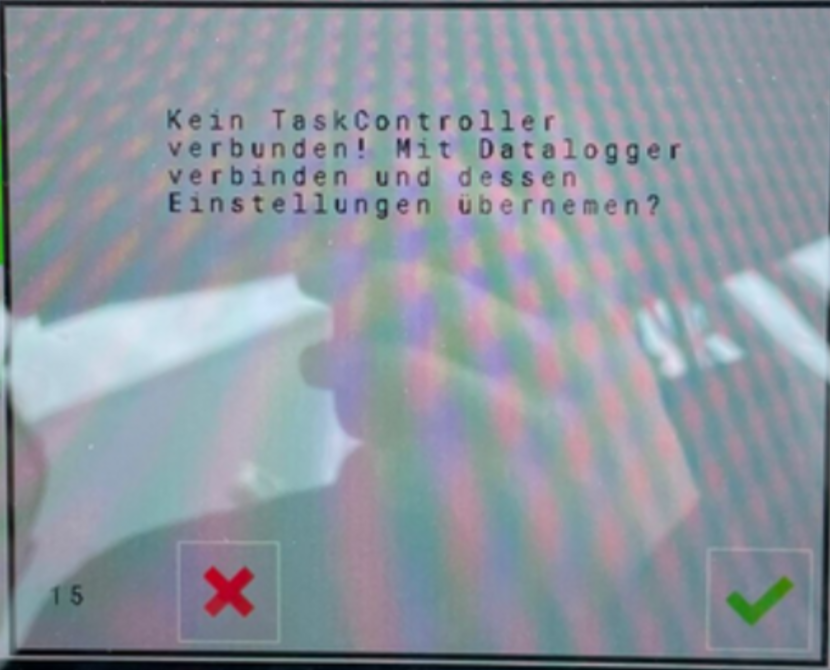
If a machine does not support the number of sections (e.g., the terminal supports only 14 sections but the LSB has 20), data may not be transmitted via HorschConnect.
In this case, the number of sections in the LSB (sprayer) must be reduced. The display on the LSB is as follows:
¶ Weather Station (60130182) - Airmar 150WX
View in LSB:

Wind Reference 0 (theoretical wind (ground referenced, references to true north; calculated using COG/SOG)
This is the wind speed that an observer standing motionless in the field would see.

Wind Reference 2 (apparent wind (relative to the vessel centerline)
This is the wind speed that an observer traveling on the vessel would see. It corresponds to what a cup anemometer would measure.
Service information: The weather station has no components that require maintenance. For optimal measurement results, the weather station must be kept free of cobwebs, insects, dust, and other debris.
¶ Why are more feeders displayed in the error codes than the machine has?
Please check the machine configuration.
Possibly the machine is operated together with a Horsch partner and their feeders appear as number 5 and 6 in the Telematics Portal.
¶ MobileControl Versionmatrix
App
| Plattform | Release | Info | OS Version | Datum |
| Apple IOS | 2.1.3 | End of Life | - | - |
| Apple IOS | 2.2.4 | End of Life | - | 28.03.2024 |
| Apple iOS | 3.0.2 | Current Release | iOS 13 - 26.0.1 | 01.10.2025 |
| Google Android | 2.1.3 | End of Life | - | |
| Google Android | 2.2.4 | End of Life | 28.03.2024 | |
| Google Android | 3.0.2 | Current Release | Android 15 | 01.10.2025 |
ECU
| Plattform | Version | Remarks |
| E-Manager | 10.13 | Pairing must accept each time by ECU |
| E-Manager | ≥ 10.14 | Static pairing |
| LSB | ≥ 1.11 | Static pairing |
| I-Manager Seeder | ≥ 07 | Static pairing |
| I-Manager Maestro | ≥ 08 | Static pairing |

¶ Connection problems (iOS 14.0, 14.0.1)
Problem:
With iOS version 14.0 and 14.0.1, connection problems to the SmartCan occur. WLAN works, but the app does not communicate with the SmartCan (shows: "Search SmartCan").
Solution:
With an update of the iOS version (iOS 14.2 tested), the problem is fixed.