1) Remove plastic screw
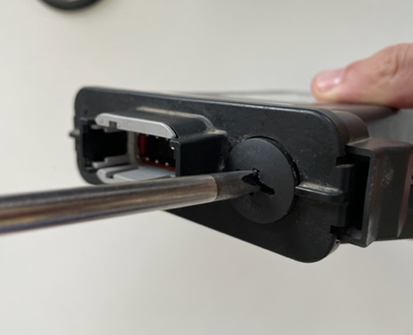
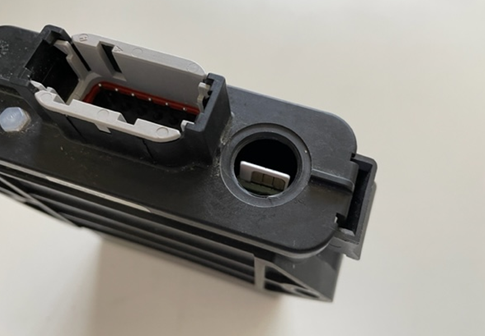
2) Remove SIM card and install new one
The chip must point downwards
3) Configure the SIM card according to the network provider's specifications.
Diagnosis → Page 2 → Mobile settings
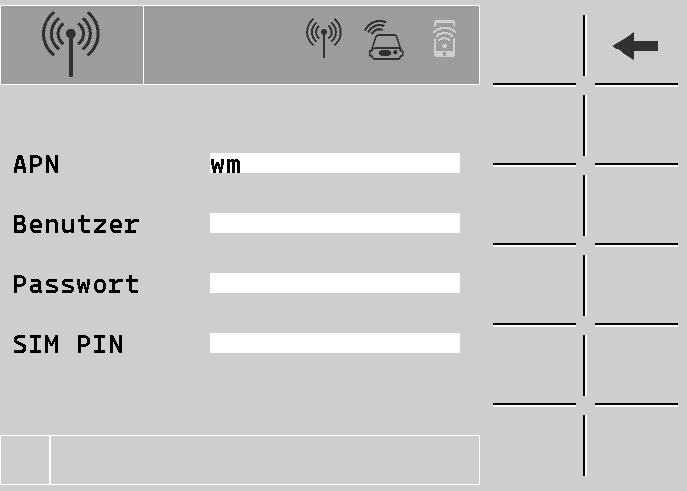
SIM cards from HORSCH use the APN "wm" (ICCID starts with 89883) or "wsim" (ICCID starts with 89352), depending on the model.
4) Restart SmartCan to use the new SIM card.

5) Check LED and Diagnose-Page
LED Green: SmartCan is connected to the internet
LED Red: No Internet connection